
The SEO Tools Playbook: The Practitioner’s Guide to Every Tool Worth Using
Let’s get something straight before we go any further.
An expensive SEO tool will not fix your broken website.
I have watched founders spend thousands of dollars a year on enterprise software subscriptions while their robots.txt file is blocking Google from crawling half their site.
The tool’s dashboard looks excellent. The organic traffic is not moving.
The problem has been sitting in a single text file the entire time.
Tools do not do SEO. You do SEO.
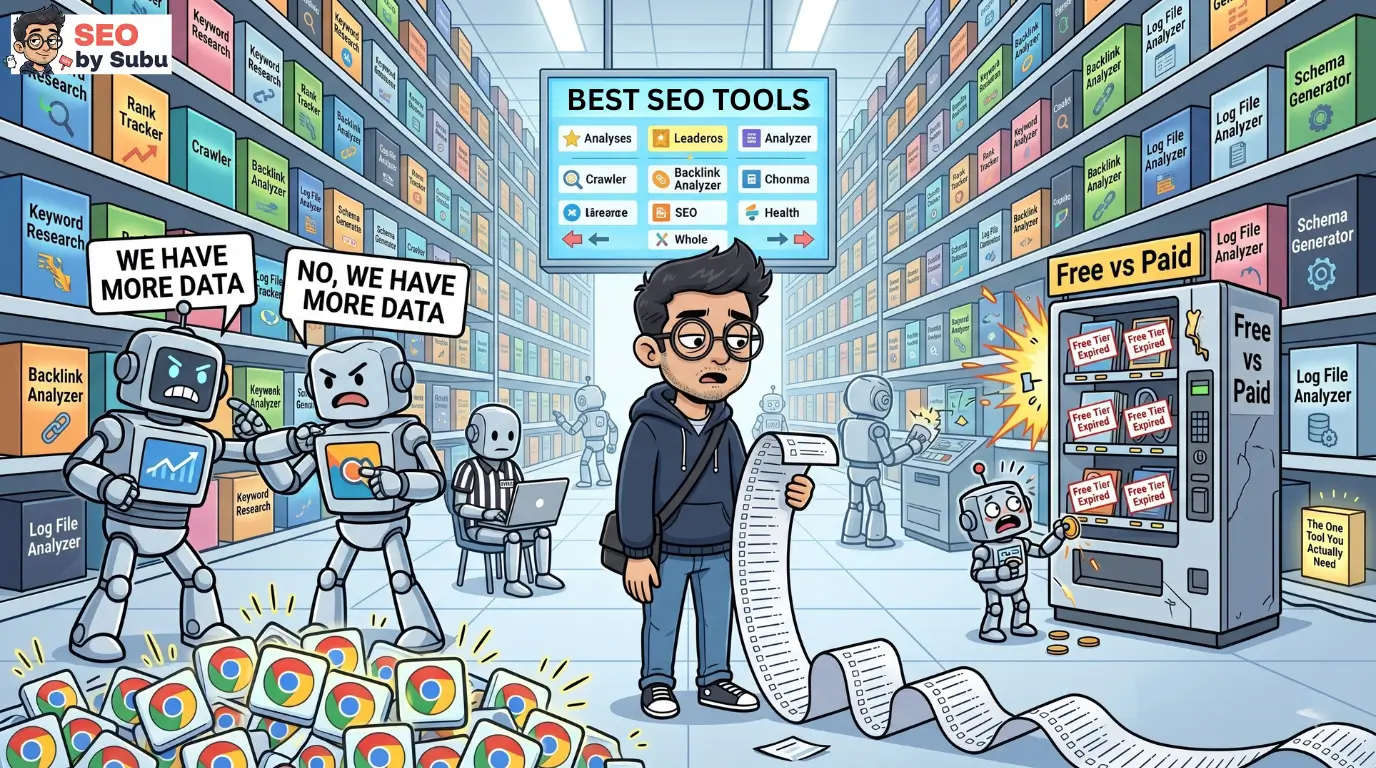
The industry currently lists over 450 different SEO tools. Most of them are repackaged data sitting behind a prettier dashboard than the tool that had the same data two years ago.
You do not need all of them. You do not need most of them.
The cheap tool that takes three hours to interpret is actually more expensive than the premium tool that answers the question in three seconds but the free tool that answers the question correctly, immediately, is better than both.
This playbook is the no-nonsense breakdown of what is actually worth your time and money in 2026. We are covering every category: technical audits, keyword research, rank tracking, link building, local SEO, and the free stack that gets you further than most people realise before spending a single rupee.
Pick your weapons. Stop tool-hopping. Get back to the actual work.
What’s In This Guide
1. Ahrefs: What It Does Better Than Anyone
If your primary battleground is backlinks, content gaps, and competitor intelligence, Ahrefs is the tool most dedicated SEO practitioners reach for first.
The headline number: 35 trillion external backlinks in its index, which updates every 15 to 20 seconds making it the fastest-refreshing backlink index available, even if Semrush and Moz have technically larger raw counts.
The speed of that refresh matters more than the headline number for live link monitoring.
A link built yesterday that appears in Ahrefs today rather than next week gives you meaningful real-time competitive intelligence.
Where Ahrefs genuinely wins:
- Site Explorer lets you drop any competitor URL and see their full backlink profile, their organic keyword rankings, their estimated traffic, and the exact pages driving the most authority. This is how you reverse-engineer a competitor’s content strategy in forty minutes.
- Content Gap analysis surfaces keywords your competitors rank for that you do not. Not directional estimates specific pages ranked against specific queries, with position data and traffic estimates. The fastest way to identify your next content priorities is to find what every competitor above you ranks for that you are currently missing entirely.
- Broken link building via Site Explorer is the workflow that Ahrefs executes better than any competing tool. Filter a competitor’s backlinks for 404 responses. Those are live inbound links pointing to dead pages. Every one of them is an outreach opportunity contact the linking site, offer your equivalent live content as a replacement, earn a link. This workflow alone justifies the subscription for any practitioner doing active link building at scale.
- Ahrefs Webmaster Tools is free for any site you verify ownership of. Free site audit, free backlink monitoring, free internal linking analysis. Before spending on a paid plan, set up Webmaster Tools on every site you manage. It gives you a significant portion of Ahrefs’ core diagnostic capability at zero cost.
Where it falls short:
Ahrefs is not an all-in-one platform. It has keyword research and some content tools, but its PPC data, social monitoring, and local SEO features are limited compared to broader suites.
If you need a single platform for multi-channel marketing, Ahrefs will leave gaps.
→ Full deep-dive in Ahrefs: Complete Guide for SEO Practitioners
2. Semrush: The All-in-One Command Centre
If Ahrefs is a precision instrument, Semrush is the entire operations centre.
It does more things than Ahrefs, covers more channels, and as a result is also more overwhelming for practitioners who only need the SEO layer.
Semrush’s backlink index claims 43 trillion links larger than Ahrefs’ raw count, though index freshness and coverage methodology differ between the two tools and neither publishes their full methodology for independent verification.
For most practical link analysis tasks, both tools return comparable results on established domains.
Where Semrush genuinely wins:
- Keyword research breadth. Semrush’s keyword database covers 28.7 billion keywords across 140 geographic databases. The question is not whether you can find keywords it is whether you can find them for your specific market. For Indian market keyword research, Semrush has historically had stronger coverage than Ahrefs on regional terms.
- Position Tracking lets you monitor a defined list of keywords at city level, track specific SERP features, and receive automated alerts when rankings change. For agency reporting on client keyword clusters, this workflow is smoother in Semrush than in most alternatives.
- Site Audit is comprehensive and runs in the cloud rather than on your desktop. For agencies running audits on multiple client sites simultaneously without dedicated hardware, cloud based auditing is a practical advantage over desktop crawlers like Screaming Frog.
- Semrush AI Toolkit for monitoring brand mention frequency across AI systems is genuinely useful for GEO tracking and not available in this form on Ahrefs. For clients where LLM visibility is a priority, this tool has no direct competitor in its price tier.
Where it falls short:
Semrush’s crawler can be aggressive and encounters rate limiting issues on heavily protected platforms. Shopify stores in particular sometimes cause Semrush audit timeouts that require crawl configuration adjustments to resolve.
The interface is dense enough that new users regularly spend weeks before using more than 20 percent of the available features, which means the effective price per feature actually used is higher than the subscription cost suggests.
→ Full deep dive in Semrush: Complete Guide for SEO Practitioners
3. Google Search Console: The Non-Negotiable
No tool on this list replaces Google Search Console. Not Ahrefs. Not Semrush. Not anything at any price point.
GSC is the only data source in existence that tells you what Google has directly observed about your site: which pages are indexed, which queries are driving impressions and clicks, which errors Googlebot encountered, and whether a manual action has been applied to your domain.
Every other tool is inferring from external data or sampling behaviour patterns. GSC is direct from the source.
In December 2025, Google rolled out an AI-powered configuration tool inside the Performance report, live to all users from February 2026. You can now describe a data filter in plain language “show me the average CTR of queries from India containing the word ‘pricing’ over the last 90 days” and the tool configures the filter automatically.
For practitioners who build complex multi-filter views regularly, this removes a meaningful amount of mechanical work from the analysis process.
The GSC features most practitioners underuse:
- URL Inspection tool shows you exactly what Googlebot saw the last time it crawled a specific page. The rendered screenshot is the most diagnostic feature in GSC it shows you whether JavaScript-dependent content actually rendered, whether images loaded, and whether the page Googlebot processed resembles the page users see. A single URL Inspection on a high-priority page that is mysteriously not indexing will tell you more in sixty seconds than an hour of speculative analysis.
- Coverage report detailed status categories. Most practitioners look at the headline pass/fail numbers. The individual status categories “Crawled, currently not indexed,” “Discovered, currently not indexed,” “Duplicate, Google chose different canonical than user” are where the actual diagnostic information lives.
- Search type filter. GSC separates Web, Image, Video, and News search data. If you are running product image optimisation or video SEO, filtering by image or video search type reveals performance data that is completely invisible in the default Web view.

Do not pay for a rank tracking tool until you have spent at least three months genuinely mastering GSC. Most of the ranking intelligence you think requires a paid tool is available here for free.
→ Full deep-dive in Google Search Console: Advanced Usage Guide
4. Google Analytics 4: The Free Tool Most Practitioners Are Using Wrong
GA4 is free. It is also deeply misunderstood by a majority of the practitioners using it daily, which means it is delivering a fraction of its actual analytical value on most implementations.
The shift from Universal Analytics to GA4 was not just an interface redesign.
It was an architectural change from a session-based model to an event-based model. Every interaction is an event.
This means GA4 can, in theory, track everything a user does on your site with more granularity than UA ever could.
In practice, it means the default setup tracks significantly less than UA did unless you configure custom events deliberately.
The features that changed in 2025 that actually matter:
Annotations returned in March 2025. This was one of the most-requested features since GA4 launched, because Universal Analytics allowed you to mark specific dates directly in your timeline algorithm update landed, site migration went live, tracking code broke, major campaign launched.
Annotations are back in GA4 as timeline markers. Use them immediately and retroactively for every significant site event in your history.
When you are looking at a traffic change six months from now, the annotation on the date will tell you exactly why it happened.
BigQuery export is the feature most practitioners know exists and almost none use.
Connecting GA4 to BigQuery allows you to run SQL queries against your raw, unsampled event data and join it with CRM data, ad spend data, and revenue data.
The analysis you can run lifetime value by acquisition source, revenue per organic session by landing page cluster, attribution modelling across the full user journey is not available anywhere in GA4’s native interface.
For any organisation where organic search represents significant revenue, this setup is worth the one-time investment.
Custom dimensions are the configuration step most implementations skip.
Out-of-the-box GA4 does not differentiate between logged-in and anonymous users, does not track scroll depth without additional configuration, and does not segment by content type.
These dimensions are not extras. They are the segmentation layer that makes organic traffic analysis meaningful rather than directional.
If you are relying solely on GA4’s default setup, you are looking at a generic wall of pageviews. Real analysis requires segmentation, and segmentation requires custom dimensions. Build them.
→ Full deep-dive in Google Analytics 4: SEO-Specific Features
5. Technical Audit Tools: Screaming Frog and Sitebulb
Screaming Frog
Screaming Frog is the desktop crawler that most technical SEOs consider a non-negotiable part of their toolkit, and the reasons are straightforward: it mimics how Googlebot processes your site, it runs directly on your machine giving you full control over crawl configuration, and the free tier crawls up to 500 URLs at no cost.
The paid licence unlocks unlimited URL crawling, JavaScript rendering, log file analysis, and scheduled automated crawls.
For technical audits on e-commerce stores with large catalogs, JavaScript-heavy frontends, or complex redirect architectures, the paid version is mandatory.
The free version is genuinely useful for smaller sites and for targeted spot-checks on specific URL sets on larger sites.
What Screaming Frog surfaces that no cloud-based tool replicates with the same precision: redirect chain length and resolution paths, exact canonical tag output per URL, JavaScript-rendered versus HTML-delivered content comparison, hreflang implementation errors across multilingual sites, and structured data extraction for bulk validation.
Sitebulb
Sitebulb is the crawler that gets recommended less often than Screaming Frog but is meaningfully better at one specific thing: explaining what it found.
Where Screaming Frog returns data, Sitebulb returns data plus a plain-language priority ranking of issues with explanations of why each issue matters and what to fix first.
For practitioners who are building client deliverables rather than doing personal analysis, the Sitebulb output format reduces the time spent interpreting crawl data into an actionable brief.
For technical SEOs who know exactly what they are looking at in a raw data table, Screaming Frog is faster.
For those who want the analysis partly done for them, Sitebulb is the better tool.
Both tools are worth having. If budget is a constraint, start with Screaming Frog.
Add Sitebulb when client reporting volume justifies the additional licence.
→ Full deep-dive in Screaming Frog and Sitebulb: How to Use Them for Technical Audits
6. Free Technical Tools on seobysubu.com Worth Bookmarking
Before spending on any paid technical tool, these free utilities on this site cover the most frequent technical diagnostic tasks practitioners run.
Hover or tap any tool to reveal its diagnostic power
The Free Suite Capabilities
Technical and On-Page SEO Audit Tool Runs a surface-level technical and on-page audit on any URL. Checks title tags, meta descriptions, heading structure, canonical tags, robots directives, and page speed signals. The right starting point before investing time in a full Screaming Frog crawl. Identifies the obvious issues in sixty seconds.
Schema Markup Generator Generates clean JSON-LD structured data for the most common schema types: Article, Product, FAQPage, BreadcrumbList, Organisation, LocalBusiness. Copy and paste the output into your page. Validate it in Google’s Rich Results Test immediately after. Removes the manual JSON writing entirely.
Robots.txt Checker and Tester Fetches your live robots.txt and tests whether specific user agents and URL paths are allowed or blocked. The single most important check to run before any other technical audit. A misconfigured robots.txt can block your entire site from being crawled. Verify it first.
XML Sitemap Generator Generates a standards-compliant XML sitemap for any domain. Useful for new sites that do not have a CMS-generated sitemap or for auditing what a CMS is omitting from its automatically generated version.
Redirect Checker Tests any URL and returns the full redirect chain, each hop’s status code, and the final destination. Run every redirect through this before submitting to development. Identify redirect chains before they compound.
International SEO Hreflang Generator and Hreflang Tags Testing Tool Generates syntactically correct hreflang tags for multilingual and multi-regional sites, and validates existing hreflang implementations against the most common errors: missing self-referencing tags, mismatched return tags, incorrect locale codes.

These tools handle the tasks that otherwise require either a paid subscription or manual technical work. Use them as the first layer of every audit before deciding what requires deeper investigation with a paid platform.
7. Content Optimisation Tools: Surfer SEO
Surfer SEO occupies a specific and genuinely useful niche: it analyses the top-ranking pages for your target keyword and tells you what semantic terms, heading structures, and content depth characteristics those pages share.
The output is a Content Score and a list of terms the model recommends including.
This is useful. It is also dangerous if misunderstood.
The tool is measuring correlation, not causation. Pages that rank well for a given keyword tend to share certain content characteristics.
Including those characteristics in your content improves its relevance signals.
What the tool cannot tell you is how much of that relevance signal overlap is causing the ranking versus how much is simply common in content about that topic.
The right way to use Surfer SEO:
- Use it to identify content gaps topics and angles that top-ranking competitors cover that your draft is missing. If every page ranking in the top five covers a specific subtopic in depth and your article mentions it in one sentence, that is a genuine gap worth filling.
- Use it to check semantic completeness whether your content is covering the conceptual territory a reader researching this topic would expect. Missing semantic terms often map to missing conceptual coverage.
Do not use it as a word count target. Surfer will frequently suggest word counts based on what top-ranking pages have, not on what the topic requires. Some topics require 3,000 words to cover comprehensively. Others are well-served by 600. Write the length the topic needs.
- Do not chase the 100 score by inserting every suggested term regardless of context. Content that reads as though every paragraph was assembled to hit a scoring target fails the Google Helpful Content test and fails the human reader simultaneously.
Use the score as a directional benchmark, not an optimisation ceiling.
→ Full deep-dive in Surfer SEO: How to Use It for On-Page Optimisation
8. Keyword Research Tools Compared
Every keyword research tool pulls from overlapping but not identical data sources, which means they produce different numbers for the same query and they are all approximations rather than exact counts.
Treat keyword volume estimates as directional signals, not precise measurements.
A keyword showing 5,400 monthly searches in one tool and 4,200 in another is telling you the same thing: this is a moderate-volume term.
The difference does not change your strategy.
Tap the tabs to switch between keyword engines
What actually differs between tools, and matters:
Ahrefs Keyword Explorer is strong on keyword difficulty accuracy and on showing the specific pages currently ranking for a term rather than just position numbers.
The Keyword Ideas feature surfaces related terms, questions, and phrase variants efficiently.
Weakness: some regional databases outside the US and UK have historically had thinner coverage.
Semrush Keyword Magic Tool has strong coverage for Indian market keyword research and is particularly useful for finding keyword clusters around a seed term.
The topic cluster visualisation helps map content priorities without manually building the cluster structure.
Weakness: interface is noisy and navigating from one keyword to related clusters requires more clicks than competing tools.
SE Ranking has significantly improved its keyword database over the last two years and now provides roughly 80 to 85 percent of the keyword intelligence available in Ahrefs or Semrush at approximately half the price.
For solo practitioners and small agencies where budget is genuinely constrained, SE Ranking is the legitimate budget alternative rather than a compromise tool.
Free options worth actually using: Google Search Console’s Performance report is the most accurate keyword data source available for your own site.
Google Keyword Planner, despite its crude interface, provides range-based volume estimates directly from Google’s ad auction data.
For question-based keyword discovery, AnswerThePublic surfaces the questions users ask around any seed term in a format that directly maps to FAQ content planning.
→ Full deep-dive in Keyword Research Tools Compared
9. Rank Tracking Tools Compared
Rank tracking in 2026 requires tools that understand the 2026 SERP environment, not tools that were built to track ten blue link positions and have since added an AI Overview checkbox as an afterthought.
The core features a modern rank tracking tool must have:
- SERP feature detection does the tracked keyword trigger an AI Overview, a featured snippet, a local pack, a shopping carousel? The position number without this context is misleading.
- Mobile versus desktop split rankings differ by device. Any site where mobile traffic is a significant proportion of organic visitors needs position tracking that separates the two.
- Local rank tracking the ability to track positions at city or postcode level for queries where local intent affects results.
The Tool Breakdown:
AccuRanker is the premium option that most enterprise practitioners use when accuracy and SERP feature detection are priorities.
Its Dynamic CTR model accounts for over 120 parameters including pixel position, SERP features, and query intent to calculate expected click through rates rather than using a static position to CTR lookup table.
This is the tool to use when you need to demonstrate to a client how an AI Overview appearing on their best keyword is affecting their traffic, rather than just reporting that their position held.
Nightwatch is the specialist for local and multi location rank tracking.
Granular tracking at postcode level, tracking across Bing and DuckDuckGo alongside Google, and a clean reporting interface that works well for local business client reports.
SEO PowerSuite’s Rank Tracker (desktop) allows unlimited keyword tracking on its paid plan without per keyword pricing.
For agencies tracking large keyword portfolios across multiple clients where the per keyword pricing of cloud tools creates cost problems at scale, the desktop version offers a cost effective alternative.
Do not pay for a rank tracking subscription until you have extracted everything GSC’s Performance report can tell you first. For most sites under five thousand tracked keywords, GSC with properly configured filters provides sufficient ranking intelligence without additional spend.
→ Full deep dive in Rank Tracking Tools Compared
10. SEO Plugins and CMS Platforms
Choosing your SEO toolset is heavily dictated by the platform your site lives on. In 2026, the divide between open source WordPress flexibility and SaaS convenience has never been wider.
On WordPress, you are the pilot. You choose the plugins, manage the updates, and control the code. On SaaS platforms like Shopify, Wix, or Squarespace, you are the passenger. Most technical SEO is handled for you, but you are limited to the features the provider chooses to build.
The Big Three of WordPress SEO.
If you are on WordPress, your plugin choice defines your workflow. In 2026, three names dominate the market.
- Rank Math: The Feature Beast. Rank Math disrupted the market by offering premium features like redirections, schema generators, and 404 monitoring for free. It integrates deeply with Google Search Console directly in your dashboard. It is best for power users who want a high performance feature set in a single install.
- Yoast SEO: The Dependable Standard. Yoast is the “IBM” of WordPress SEO. It focuses on stability, backward compatibility, and content readability. 2026 sees new AI Brand Insights to track how your brand appears in AI generated search results. It is the safest choice for editorial teams who need simple green light indicators.
- The SEO Framework: The Lightweight Champ. For those who prioritize speed and hate bloat, this is the developer’s choice. It has zero ads and no dashboard notifications. It automates meta tags based on content patterns and is ideal for high performance sites.
The “green light” in Yoast or Rank Math is not a ranking signal. It is a checklist. Getting a 100 score does not guarantee a ranking if the underlying content is garbage. Use the tool as a guide, not a god.
SaaS SEO: Built-in vs. App-based.
Platforms like Shopify and Wix have moved away from requiring external apps for basic SEO. By 2026, their built-in toolsets handle the fundamentals competently.
Shopify: The Commerce OS. Shopify handles technical SEO reasonably well out of the box. It generates sitemaps, handles redirects, and allows editable title tags. The “Shopify Magic” AI now helps generate product descriptions and alt text automatically. It dominates on speed because it uses Liquid, a highly optimised server-side language.
Wix: The Creative Sandbox. Wix used to be terrible for SEO but has improved enormously. It now generates proper HTML and handles mobile rendering correctly. Its SEO Wizard is the most intuitive for beginners, though heavy use of client-side JavaScript can still hinder mobile load times on complex designs.
Squarespace: The Visual Portfolio. Squarespace is often the best for basic SEO for visual content. It features clean code, good page speed, and sensible URL structures. Its blogging platform is particularly strong for creative professionals who need a visual first approach.
If you are building a serious e-commerce business, Shopify is the only logical choice. If you are a beginner who wants total creative control over design, Wix or Squarespace handles the SEO fundamentals well enough for most use cases.
→ Full deep-dive in WordPress vs SaaS: Which is Right for Your Business?
11. Link Building Tools Compared
Link building tools solve a specific operational problem: at scale, manually researching prospects, tracking outreach status, following up on sends, and managing relationship history across hundreds of simultaneous campaigns is a logistics problem, not a strategy problem.
Tools handle the logistics so the strategy gets the attention it deserves.
The Specialist Tools:
BuzzStream is the workflow tool for digital PR and relationship-based link building. It tracks every contact, every outreach send, every response, and every relationship across campaigns. The prospecting feature pulls contact information from target domains automatically. For agencies managing multiple concurrent outreach campaigns, the shared team workspace prevents duplicate outreach and tracks campaign attribution clearly.
Pitchbox is the enterprise option for high-volume automated outreach. It integrates directly with Ahrefs and Semrush data sources to pull and qualify prospects automatically, sequences follow-up emails, and provides detailed campaign analytics. The automation makes it significantly more efficient than BuzzStream at high volume. The cost reflects this Pitchbox is an investment that makes commercial sense for agencies running sustained large-scale outreach rather than occasional campaigns.
One thing no link building tool changes: the quality of the pitch. A mediocre outreach template sent efficiently at scale produces mediocre results efficiently. The tool handles delivery. The strategy and the writing determine whether anyone responds.
→ Full deep-dive in Link Building Tools Compared
12. Local SEO Tools Compared
Local SEO requires a different tool stack than standard organic SEO. The metrics that matter local pack position, citation consistency, Google Business Profile performance, review velocity are mostly invisible in tools built for national keyword tracking.
The Foundations:
Google Business Profile is the absolute baseline and it is free. Every piece of local SEO work starts here: categories, service areas, hours, photos, Q&A, review responses. An unoptimised or unclaimed GBP profile is the equivalent of a nationally indexed site with a broken robots.txt. Fix the foundation before touching anything else.
Professional Local Management:
BrightLocal is the industry standard for local SEO management once you outgrow the Google dashboard. Local rank tracking at city level across Google and Bing, citation audits that show your NAP consistency across directories, white-label reporting for agency client delivery, and review monitoring across Google, Facebook, and review platforms. For any practitioner managing local SEO for multiple clients, BrightLocal’s multi-location management is significantly more efficient than managing each GBP account individually.
Whitespark specialises in citation building and local rank tracking. The Local Citation Finder identifies where your competitors have citations that you do not, which directly maps to citation gap opportunities. For businesses in highly competitive local markets where citation breadth and consistency make a meaningful difference to local pack rankings, Whitespark’s citation focused toolset is more precise than BrightLocal’s broader offering.
Do not use a national rank tracker to track local SEO performance. A keyword like “plumber near me” returns different results depending on the user’s location to within a few kilometres. A tool tracking from a data centre in another city is measuring a SERP your actual customers never see.
→ Full deep-dive in Local SEO Tools Compared
13. Free SEO Tools Worth Using
You can get significantly further than most practitioners realise before spending money on SEO tools. The free stack, used correctly, covers the majority of analytical needs for sites under a certain scale and for practitioners who are still building their workflows.
The Non-Negotiable Free Foundation:
- Google Search Console direct ranking and indexation data from Google. If you are not using this weekly, no paid tool is going to compensate for that gap.
- Google Analytics 4 behavioural and conversion data for organic traffic. Free, comprehensive, and requires configuration to deliver its full value.
- PageSpeed Insights Core Web Vitals field data and lab diagnostics for any URL. Run it on your product pages, not just your homepage.
- Ahrefs Webmaster Tools free site audit, backlink monitoring, and internal linking analysis for verified sites. The single best free addition to the core Google stack.
- Screaming Frog free tier up to 500 URLs. Sufficient for small sites and targeted spot-checks on specific templates.
- seobysubu.com Tools listed in section six cover the most common technical diagnostic tasks without any signup or subscription.
Any tool promising an “instant free SEO score” via email submission is harvesting your contact details in exchange for an automated report of questionable accuracy. These tools are universally designed to create anxiety about problems that may or may not exist in order to sell you a subscription. The report is the marketing funnel, not the product.
→ Full deep-dive in Free SEO Tools Worth Using
14. How to Build a Full SEO Tool Stack on a Budget
The goal is coverage across every analytical category without paying for overlap, redundancy, or features you will never use.
Stage one: the free foundation (₹0/month).
Google Search Console, Google Analytics 4, PageSpeed Insights, Ahrefs Webmaster Tools, Screaming Frog free tier, and the free tools on seobysubu.com. This stack covers indexation monitoring, ranking data, traffic analysis, Core Web Vitals, basic backlink monitoring, and on-demand technical audits for sites under 500 URLs.
For a new site or a practitioner just starting out, this stack is sufficient. Do not spend money on paid tools until you are extracting consistent value from these and have identified a specific gap they cannot fill.
Stage two: first paid investment.
Identify the single category where the free stack leaves you most exposed. For most practitioners doing active client work, this is either keyword research and competitor analysis or rank tracking.
If keyword research and competitor analysis is the gap: Ahrefs Lite (currently €129/month) or SE Ranking’s Growth plan (approximately ₹6,500/month) depending on budget. SE Ranking delivers 80 to 85 percent of Ahrefs’ core functionality at roughly half the cost. If budget is genuinely constrained, SE Ranking first and upgrade to Ahrefs when the work demands it.
If rank tracking is the gap and you are managing multiple clients: AccuRanker for its SERP feature accuracy and Dynamic CTR modelling. Nightwatch if local tracking at granular geography is the primary use case.
Stage three: scaling the stack.
Annual billing typically saves 20 to 30 percent across most major tool subscriptions. Buy annual once you have confirmed a tool is genuinely embedded in your workflow rather than paying monthly for something you open twice a week.
Avoid per-seat pricing for tools where most team members only need read access to reports. Most platforms have a report-sharing or client portal feature that allows stakeholder access without paying for additional seats.
Do not run parallel subscriptions to Ahrefs and Semrush simultaneously unless you are doing comparative analysis or your work genuinely requires features unique to both. For most practical SEO work, one premium backlink and keyword tool is sufficient. The marginal value of the second subscription rarely justifies its cost when you already have the first.
→ Full deep-dive in How to Build a Full SEO Tool Stack on a Budget
TL;DR: The Tool Stack Survival Protocol
Stop agonising over which software to buy. Here is the decision framework.
Start with the free foundation. GSC, GA4, PageSpeed Insights, Ahrefs Webmaster Tools, Screaming Frog free tier, and the tools at seobysubu.com. Use them consistently for at least three months before paying for anything. Most practitioners who do this discover they can answer 70 percent of their analytical questions without a paid subscription.
- For technical audits: Screaming Frog is the desktop gold standard. Sitebulb is the better choice when client-ready audit reports with built-in prioritisation are the deliverable. Use the seobysubu.com tools for fast, targeted spot-checks before running a full crawl.
- For backlinks and competitor intelligence: Ahrefs for pure link depth and the fastest-refreshing index. Semrush if you need multi-channel marketing coverage under one subscription. SE Ranking if budget is genuinely a constraint and you need 80 percent of premium functionality at half the price.
- For keyword research: Ahrefs or Semrush at the premium tier. SE Ranking at the budget tier. Google Keyword Planner and GSC Performance report as the always-free baseline.
- For rank tracking: Do not pay for a rank tracker until you have mastered GSC’s Performance report. When you do pay: AccuRanker for SERP feature accuracy and dynamic CTR modelling. Nightwatch for local and multi-engine granular tracking.
- For content optimisation: Surfer SEO as a relevance gap analyser, not a word count or score target. Write for the human first. Use the score directionally.
- For local SEO: BrightLocal for multi-location management and reporting. Whitespark for citation building in competitive local markets. Google Business Profile for the foundation that no paid tool replaces.
Consolidate. Do not stack. One premium backlink and keyword tool. One rank tracker. One technical crawler. One analytics platform. Every redundant subscription is budget that belongs in content production or link building.
A fool with a tool is still a fool. The data tells you where the problems are. Getting off the dashboard and fixing the site is the only part that actually moves rankings.
Related Pillars:
→ Pillar 1 — The Tech Manual (Technical SEO) where the tools described here are put to work on actual technical problems
→ Pillar 7 — The Analytics Playbook — GA4, GSC, and Looker Studio in full operational depth beyond the tool overview here