
The E-Commerce SEO Playbook: How to Drive Organic Traffic to an Online Store
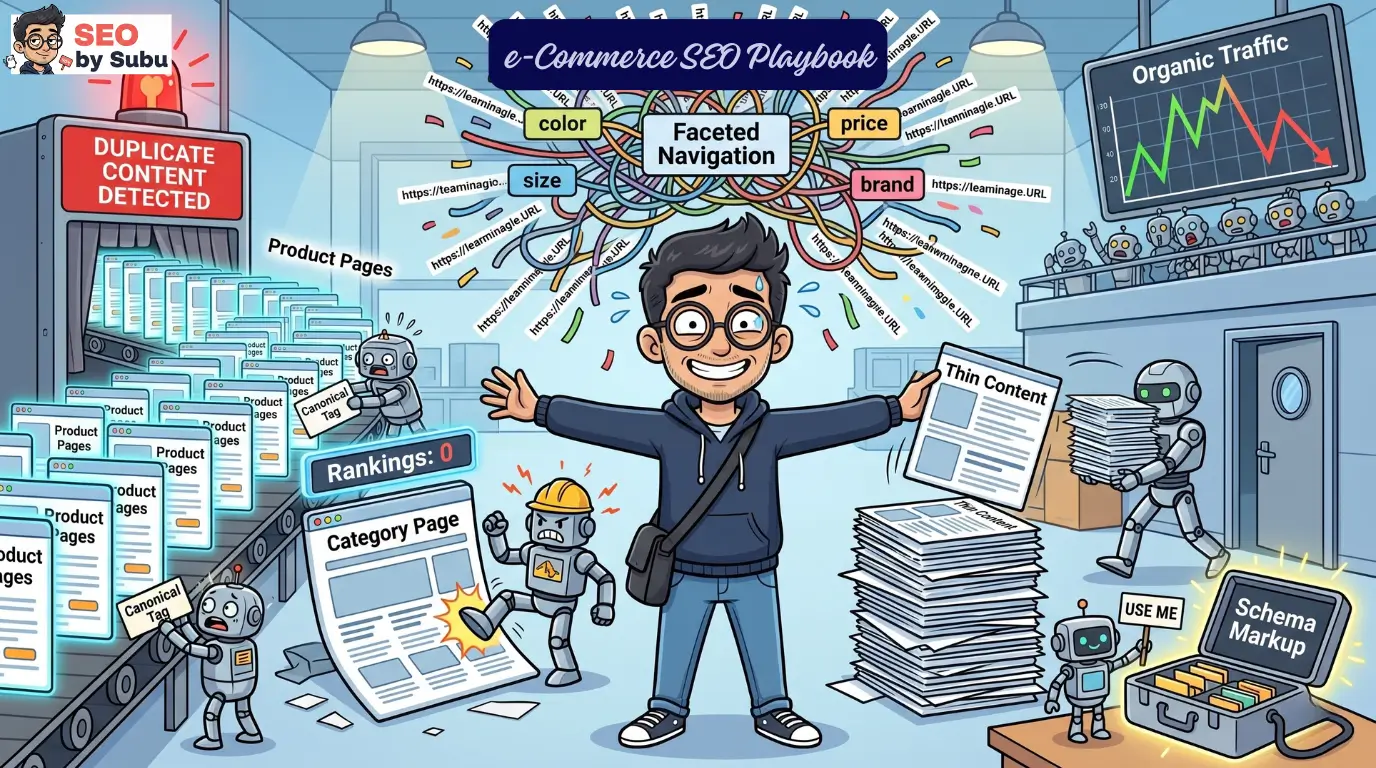
Your store looks incredible. The product photography is chef’s kiss. The checkout flow is frictionless.
The brand colours are absolutely on point.
And nobody can find it on Google.
That’s the e-commerce SEO trap. Beautiful store, zero organic traffic, a growing paid ads bill, and a founder who genuinely believes “SEO takes time” is an excuse rather than a sign something is structurally broken.

Here’s the reality: Google doesn’t rank your feelings, your Figma prototype, or how many hours you spent choosing fonts.
It ranks crawlability, structured data, and site architecture. If your store is feeding Googlebot a soup of duplicate URLs, unmanaged facet filters, and manufacturer-copy product descriptions — you’re invisible.
Not struggling. Invisible.
E-commerce SEO is a different animal from standard SEO. When a lead-gen website breaks, a couple of pages drop.
When an e-commerce architecture breaks, thousands of product pages vanish from the index overnight.
The revenue stream doesn’t slow — it stops.

This playbook is the survival guide. No theory padding, no fluff.
Just the fifteen specific battlegrounds where e-commerce stores live or die in search.
Pick a section. Go deep. Fix what’s broken.
What’s In This Guide
1. E-Commerce SEO: How It Differs From Standard SEO
Standard SEO is a boutique coffee shop. E-commerce SEO is a fulfilment warehouse during Diwali sale week.
Same basic physics, completely different operational scale — and the mistakes hit exponentially harder.
A regular site might add 10 pages a month. An e-commerce platform can generate 10,000 new URLs in a single afternoon because a developer enabled one new filter parameter.
That’s not a typo. One colour filter in a sidebar navigation can create thousands of crawlable URL combinations that Google now has to process, evaluate, and either index or ignore — and it’ll spend your entire crawl budget trying to figure it out.
Hover or tap to enable filter parameters and watch the crawl budget burn
The search intent is also ruthlessly transactional here. Informational SEO is forgiving.
Someone reading a blog post about running shoes isn’t evaluating price or stock.
E-commerce targets buyers who have their credit card in hand and are comparing options right now.
The moment your page doesn’t answer “price, availability, does it come in my size” — they’re gone.
→ Full breakdown in E-Commerce SEO: How It Differs From Standard SEO2. Product Page Optimisation
The product page is the final conversion terminal. It’s where money changes hands.
It’s also where most e-commerce stores make their single worst SEO decision: copying and pasting the manufacturer description.
Here’s what happens when you do that. Fifty other retailers are running the same manufacturer text for the same product.
Google sees fifty near-identical pages. It picks one to rank — the one from the domain with the highest authority.
Spoiler: it’s not yours.
(Copy/Paste)
Hover or tap to rewrite the manufacturer text and break out of the duplicate filter
A product page with identical manufacturer copy isn’t a webpage. It’s a duplicate database entry that Google has already indexed fifty times today on stronger domains.
You need unique copy. Not keyword-stuffed garbage. Actual descriptive, buyer-focused content that answers every question before the user hits back.
Load time under 2.5 seconds. Touch targets on mobile that a human thumb can actually hit.
High-quality compressed images in WebP. And structured data — but we’ll get to that.
The product page has to function as a standalone landing page. Not a database row. A page.
→ Full breakdown in Product Page Optimisation3. Category Page Optimisation
If product pages are the foot soldiers, category pages are the generals — and most stores are running their generals into battles completely unarmed.
Category pages are where the high-volume, high-intent head terms live. “Men’s running shoes.” “Industrial espresso machines.”
These pages accumulate authority over years while individual products come and go. A product sells out. The category stays.
Hover or tap to add contextual copy without burying the products
The most common mistake: treating the category page as a product grid with no text. To a search engine, a page with only images and prices is thin content. It’s a void.
You need optimised introductory copy that contextualises the category, incorporates target keywords naturally, and uses proper header structure — without burying the actual products below the fold.
The architecture matters too. Keep everything within four clicks of the homepage. Flat is fast. Deep hierarchies are death.
→ Full breakdown in Category Page Optimisation4. Faceted Navigation and Crawl Issues
Faceted navigation — those filter sidebars that let users sort by colour, size, price, and brand — is the single greatest technical threat to an e-commerce site’s search visibility.
It’s also one of the best UX features you can have. The conflict between those two facts will haunt you.
Here’s the math problem. A modest product catalog with filters for 5 colours, 4 sizes, and 3 price ranges doesn’t create 12 URLs.
It creates hundreds of unique URL combinations. At scale, faceted navigation can generate millions of crawlable URLs from a relatively small catalog.
Googlebot follows every single link it finds. It will enter your filter loops and not come out.
Your crawl budget burns. New products go undiscovered. Rankings drop on everything.
The fix requires three things working together: robots.txt disallow rules on low-value parameters, rel=canonical tags pointing filtered URLs back to the parent category, and JavaScript handling of multi-select filters client-side so bots never see them in the first place.
This is not optional configuration. This is the difference between your site being indexed and your site being a ghost.
Do not let Google spend your entire crawl budget discovering that you sell a medium red shoe for under fifty dollars. Guard your crawl budget like cash.
5. Product Schema and Rich Results
Google doesn’t intuitively understand what your page is selling. It reads code.
You have to explicitly tell it: this is a product, this is the price, these are the reviews, this is whether it’s in stock.
That’s what Product Schema does. A JSON-LD block in your page header tells the crawler exactly what it’s looking at — in machine-readable language.
{
“@type”: “Product”,
“name”: “Industrial Espresso Machine”,
“offers”: { “price”: “1299.00”, “availability”: “InStock” },
“aggregateRating”: { “ratingValue”: “4.8”, “reviewCount”: “124” }
}
</script>
Hover or tap to translate machine-readable JSON-LD into a high-CTR Rich Snippet
When Google processes it correctly, your listing stops looking like a boring blue link and starts showing gold stars, price tags, and stock status directly in the search results.
This isn’t decoration. Rich results get dramatically higher click-through rates because they answer buyer questions before the click happens.
In a competitive SERP, a listing without product schema looks bare and untrustworthy next to competitors showing five-star ratings and exact pricing.
One bad markup error and Google strips all of it. Check the Rich Results Test. Monitor Search Console.
Keep it clean.
6. Handling Out-of-Stock and Discontinued Products
Products die. It’s part of e-commerce. What you do next determines whether you keep the SEO value that page built over its lifetime, or torch it.
The two worst reactions, which most stores default to: delete the page immediately (404 error), or redirect everything to the homepage.
Hover or tap to replace the 404 error with a 301 redirect and save your link equity
The 404 destroys every backlink, every bit of ranking history, every internal link equity that page earned.
The homepage redirect creates what Google calls a “soft 404” — it looks like a redirect but behaves like a dead end, and Google strips the SEO value anyway.
The decision tree is actually simple:
- Temporarily out of stock? Leave the page live. Add a back-in-stock notification. Protect the ranking.
- Discontinued with a direct replacement? 301 redirect to the new product. Passes ~90% of link equity.
- Discontinued with no replacement? 301 redirect to the parent category. Preserves the authority in the hierarchy.
- High-authority legacy product with major backlinks? Leave it live. Mark it discontinued in schema. Show alternatives on-page.
Don’t abandon the backlink profile.
Handle this wrong and you’re quietly bleeding authority every time a product line updates.
→ Full breakdown in Handling Out-of-Stock and Discontinued Products7. Site Search Optimisation
Every decent e-commerce site has a search bar. Users who type into it are the highest-intent visitors on your entire site — they know exactly what they want.
Great for conversions. Catastrophic for SEO if you handle it wrong.
When a user searches “red widgets size large,” your platform generates a dynamic URL: ?q=red+widgets+size+large .
Hover or tap to separate the toxic URLs from the valuable keyword data
If you let Google index those pages, you’ve just created infinite URL bloat of low-quality, dynamically-generated pages that directly cannibalize your actual category pages.
The ones you spent months optimising. Killed by your own search bar.
Non-negotiable rule: all internal search result pages get noindex . Block the search directory in robots.txt . Done.
But here’s where it gets interesting — while the URLs must be hidden from bots, the data from those searches is some of the most valuable keyword intelligence you have.
What people type into your site search tells you exactly what they want, what your navigation is missing, and what product categories you haven’t built yet.
Mine that data constantly. Just never let Google touch the pages it generates.
→ Full breakdown in Site Search Optimisation8. E-Commerce Internal Linking
Internal linking is the circulatory system of an e-commerce site.
Link equity flows from high-authority pages — homepage, viral blog posts, heavily-linked category pages — down to the deep product pages that actually generate revenue.
Without deliberate internal linking, those product pages become orphans. Isolated. Starved of authority. Invisible.
Hover or tap to build the contextual link and pass the equity
Relying entirely on the top navigation is lazy and insufficient. You need contextual, in-content links.
That blog post about “Best Running Shoes for Beginners”? It should link directly to the specific product pages it mentions, with descriptive anchor text.
“Click here” tells Google nothing. “Lightweight waterproof trail running shoes” tells it everything.
At scale, “Related Products” and “Customers Also Bought” carousels aren’t just UX features — they’re automated deep-linking systems.
They ensure crawlers continuously discover products and that link equity flows horizontally across the catalog, not just vertically from the homepage.
Build the silo. Wire the internal links. Let the equity flow.
→ Full breakdown in E-Commerce Internal Linking9. Duplicate Content in E-Commerce
Duplicate content isn’t always plagiarism. Usually it’s your own platform quietly undermining itself.
The classic example: a single product accessible via /products/red-shoe and simultaneously via /collections/running/products/red-shoe .
Same page, two URLs, zero canonical signal. Google sees two identical pages, can’t decide which to rank, splits the link equity between both, and both end up performing badly.
You’ve essentially created a competitor to yourself.
Hover or tap to deploy the canonical tag and consolidate your link equity
The same thing happens with HTTP vs HTTPS, www vs non-www, and trailing slash vs no trailing slash variants.
Every e-commerce platform generates these by default. None of them tell you this is a problem.
The solution is the canonical tag — a single line in the HTML header that tells Google: this URL is the master version .
Everything else consolidates here. Set it correctly on every product page, every category page, and every filtered or paginated variant.
Audit it quarterly, because CMS updates love to silently overwrite canonical configurations.
→ Full breakdown in Duplicate Content in E-Commerce10. E-Commerce Keyword Research
Chasing head terms is how brands burn budget and feel good about it. “Shoes.” “Laptops.” “Furniture.”
Congratulations on ranking position 94 for a keyword with 5 million monthly searches and a conversion rate of 0.2%.
The actual revenue lives in the long tail. Highly specific, lower-volume queries that signal buying intent so clear it’s almost embarrassing.
Hover or tap to shift from vanity search volume to actual revenue intent
“Lightweight waterproof trail running shoes size 10” isn’t someone browsing. That’s someone with a credit card already in hand.
The competitive landscape is thinner. The conversion rate is dramatically higher. This is where new e-commerce entrants actually win.
Modern keyword strategy also has to account for AI Overviews and voice search, both of which skew toward natural language and question-format queries.
Map keywords to funnel stage: informational queries go to blog posts, navigational queries go to category pages, transactional queries go directly to product pages.
Build the matrix. Stop wasting budget on vanity metrics.
→ Full breakdown in E-Commerce Keyword Research11. Pagination and Infinite Scroll
UX designers love infinite scroll. It feels seamless. Products just keep appearing as you scroll. Modern, clean, frictionless.
Googlebot does not scroll. This is not a metaphor. The crawler loads the page, renders what’s visible, and moves on.
If your category has 100 products but only 20 load on initial render and the rest require a scroll event to trigger — those 80 products are effectively invisible to search.
They’re unindexed. They don’t exist in Google’s world.
Hover or tap to implement the SEO fallback and allow the crawler to pass
Traditional pagination with HTML links (Page 1, Page 2, Page 3) remains the gold standard for crawlability because it gives bots a clean, systematic path through your entire catalog.
If infinite scroll is a hard brand requirement, you must implement it with an SEO fallback: standard paginated <a href> links present in the source code for crawlers, while users get the infinite scroll experience on top via JavaScript.
Both can coexist. You just have to actually build it that way.
→ Full breakdown in Pagination and Infinite Scroll12. E-Commerce Site Speed
A slow store isn’t just annoying. It’s algorithmically penalised and commercially lethal.
Google has Core Web Vitals baked into its ranking algorithm.
If your store takes more than 3 seconds to load, you’re losing rankings and losing sales simultaneously — a beautiful two-for-one disaster.
E-commerce sites are inherently heavy. High-res images. Dynamic cart scripts. Third-party apps for reviews, chat, personalisation, upsells.
Every app you install adds JavaScript that runs on page load. They add up fast. Most stores have no idea how bloated their frontend has become.
Hover or tap to compress images, strip 3rd-party app bloat, and pass Core Web Vitals
The three metrics that matter:
- LCP (Largest Contentful Paint): How fast the main visible element loads. Must be under 2.5 seconds. Optimize the hero image first.
- INP (Interaction to Next Paint): How responsive the page is to user input like “Add to Cart.” Under 200ms. A slow button click feels broken.
- CLS (Cumulative Layout Shift): How much the page jumps around as it loads. Under 0.1. Layout shifts cause accidental clicks and are deeply irritating.
Fix: CDN, WebP/AVIF image compression, lazy loading below the fold (never on the hero image), and a brutal audit of every third-party app you don’t actually need.
→ Full breakdown in E-Commerce Site Speed13. Shopify SEO: The Complete Guide
Shopify is genuinely excellent for what it does: fast deployment, reliable uptime, clean merchant experience.
For SEO out of the box? It’s a structural mess that requires surgical correction before you run any serious organic strategy.
The biggest issue is baked into the platform’s core. By default, Shopify creates two URLs for every product: a clean root URL ( /products/item ) and a collection-path URL ( /collections/category/products/item ).
Both are live. Both are indexed. Both are identical. This means every single product on your store is generating duplicate content from day one, without you doing anything wrong.
Hover or tap to strip the collection parameter from the Liquid code
Fixing it requires editing the Liquid theme files directly — stripping the within: collection parameter so the platform only generates and links to the root-level product URL.
Beyond that: the tag/filter system needs canonical management to prevent index bloat, the robots.txt file has limited (and recently improved but still fiddly) customisation options, and the JavaScript weight from installed apps regularly kills Core Web Vitals scores.
Shopify SEO is doable. It just requires knowing exactly where the landmines are.
→ Full breakdown in Shopify SEO: The Complete Guide14. Marketplace SEO (Amazon, Flipkart)
Google is not where all product searches begin. For a massive range of categories, buyers go directly to Amazon or Flipkart and search there.
If your listing isn’t optimised for those algorithms, you don’t exist in those results — and that can be more traffic than Google ever sends you.
The critical mistake is assuming Google SEO logic transfers to marketplaces. It doesn’t.
Hover or tap to run the marketplace algorithm and watch conversion velocity override keyword stuffing
Amazon’s A10 algorithm doesn’t primarily care about backlinks or page authority.
It cares about one thing: sales velocity and conversion probability. The marketplace exists to generate commission. It promotes what converts.
If your listing ranks #1 but converts poorly, the algorithm demotes it within days.
This means optimization isn’t just keywords in titles — it’s the main product image driving CTR, bullet points written for conversion, A+ content, review volume and velocity, and external traffic from social and paid sources (which Amazon actively rewards with ranking boosts).
Keyword stuffing a title without improving conversion is the fastest way to waste a strong ranking opportunity.
→ Full breakdown in Marketplace SEO (Amazon, Flipkart)15. E-Commerce SEO Audit Checklist
Technical debt in e-commerce is silent and cumulative. One CMS update accidentally overwrites your canonical configuration.
A developer enables a new filter parameter without telling anyone. A category page gets orphaned after a site restructure.
None of this throws errors. None of it alerts you. Traffic just slowly, quietly drops. This is why the audit is not a launch task. It’s a quarterly operation.
Hover or tap to scan for technical debt and silent ranking killers
The non-negotiables on every audit cycle:
- Indexation & Crawlability: Robots.txt is clean, XML sitemap only contains 200-status, canonical URLs, no valuable pages are accidentally blocked
- Duplicate Content & Canonicals: Faceted navigation is controlled, no two URLs are competing for the same keyword
- Technical Health: No 404 errors, no redirect chains, Core Web Vitals passing on mobile
- Schema & On-Page: Product structured data validated in Rich Results Test, no missing or duplicate H1s, meta descriptions present
- Architecture: No orphan pages, nothing more than 4 clicks from the homepage
Skip the quarterly audit and you’re giving technical failures a 90-day head start to silently drain your organic traffic before you notice.
→ Full breakdown in E-Commerce SEO Audit ChecklistTL;DR: The Survival Protocol
Stop here if you’re in a rush. This is what you must get right:
- Manage crawl budget aggressively. Faceted navigation, site search URLs, and pagination can generate millions of worthless pages. Block them, canonical them, control them — or watch Google waste its entire budget on debris instead of your actual products.
- Canonical everything. Your platform is probably creating duplicates right now without telling you. Set canonical tags. Audit them quarterly.
- Unique copy on every product page. Manufacturer descriptions are a duplicate content disaster. Write your own. Even 150 words of original, buyer-focused copy is infinitely better.
- Schema is mandatory. Rich results (stars, price, stock) directly increase CTR. A listing without product schema looks inferior. Implement it. Keep it error-free.
- Never blindly delete out-of-stock pages. 301 redirect to replacements or parent categories. Protect the equity.
- Noindex your internal search results. The URLs are junk. The data is gold. Mine the data. Hide the URLs.
- Googlebot doesn’t scroll. Ensure pagination fallback exists even if infinite scroll is the user experience.
- Mobile is the only version that matters. Fast, clean, tappable. Everything else is irrelevant.
- Long-tail converts. Head terms flatter. Build your keyword strategy around buyer intent, not search volume vanity.
- Marketplace SEO is conversion science. On Amazon and Flipkart, ranking without converting is a temporary result. Optimize for both.
The foundation is everything. Get the architecture right. Control what Google crawls. Fix what’s broken. Then — and only then — talk about content.